The short-term rental market isn’t growing the way it used to. Year-over-year revenue growth has stalled for most operators. The start of 2025 has been slow. And if you’re running a portfolio of 15, 30, or 50+ properties, you’re feeling the squeeze. Here’s what that means for your pricing strategy: the margin for error just got a lot smaller. When the market was booming, you could get away with a “good enough” approach to revenue management. Set your prices in PriceLabs or Wheelhouse, check in once a week, and let the tool do its thing. Growth covered up a lot of sins. But in a flat market? Every pricing mistake shows up on your bottom line. At Freewyld Foundry, we manage over $116 million in STR bookings across 55+ portfolios worldwide. And every week, we analyze new pricing accounts when operators apply for our revenue management service. After reviewing hundreds of these accounts, we keep seeing the same five mistakes… over and over again. Some of these are simple fixes you can make in the next 10 minutes. Others require a fundamental shift in how you think about your booking window. All of them are costing you money.
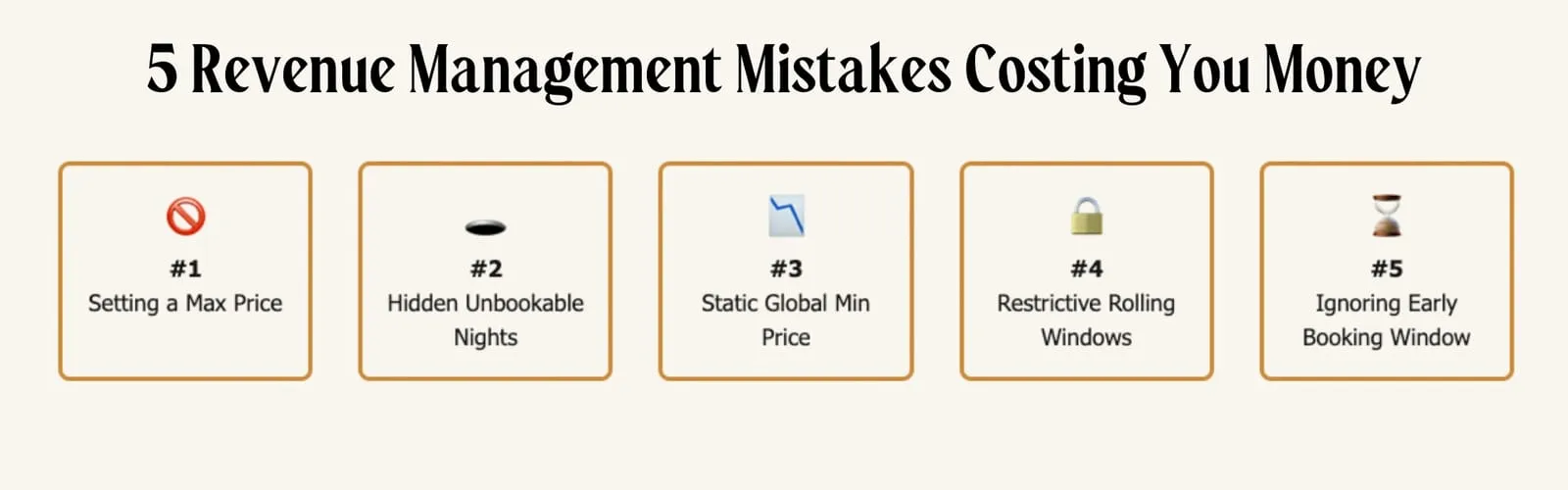
Mistake #1: Setting a Maximum Price
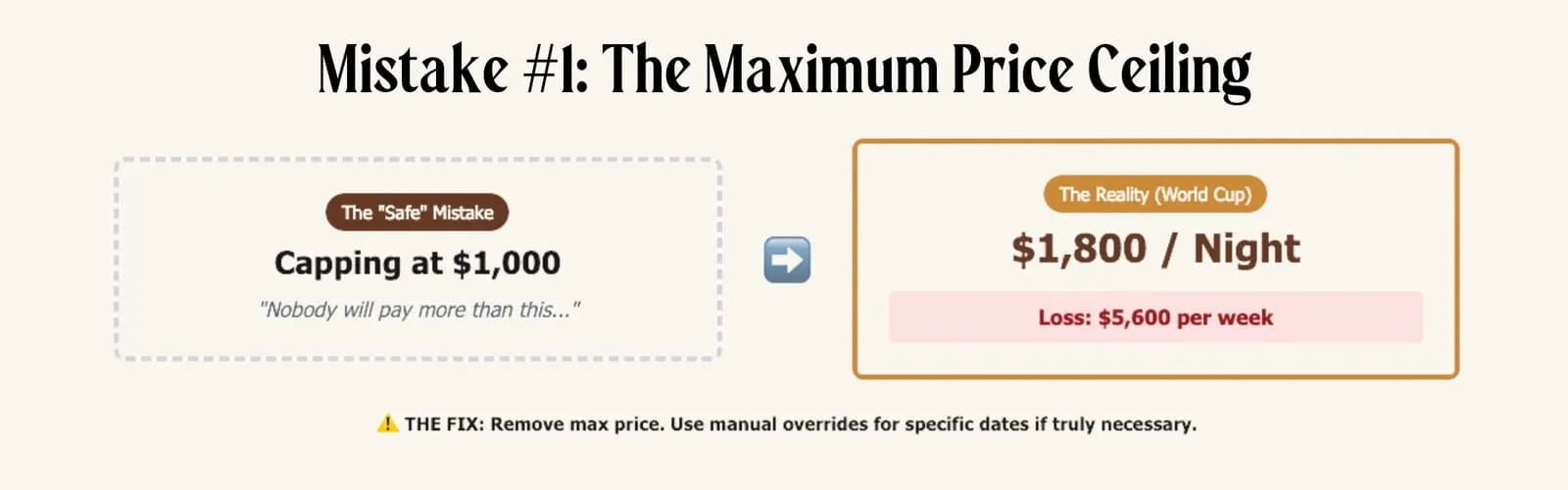
This one surprises a lot of operators because it seems like a reasonable safeguard. You set your base price in PriceLabs. You look at the pricing across your calendar. And for certain peak dates, the suggested price looks absurdly high. Maybe it’s showing $1,500 a night for a property that normally books at $400. So you think: “Nobody’s going to pay that. Let me set a max price to keep things realistic.” Here’s why that’s a mistake. You don’t actually know what people will pay until you test it. We’ve already seen World Cup bookings coming in at eye-popping rates. One three-bedroom unit just booked at $1,800 per night. A two-bedroom in Seattle locked in at $1,300 per night. These aren’t hypothetical numbers; these are real bookings that have already happened. If those operators had set a maximum price of $1,000 because that’s what felt “realistic,” they would have left $800 per night on the table. For a week-long stay, that’s $5,600 in lost revenue from a single booking. Why operators set max prices (and why both reasons are wrong): The first reason is simple: they see a field in PriceLabs for “max price” and assume they need to fill it out. You don’t. PriceLabs has a built-in safety maximum that prevents truly absurd pricing. You don’t need to add your own cap on top of it. The second reason is more psychological. Operators see a high suggested price and feel uncomfortable. It doesn’t match their mental model of what their property is worth. So they cap it. But here’s the thing: if PriceLabs suggests a price that feels unrealistically high, that’s a signal to examine your settings, not to set a ceiling. The fix: First, check if you have a max price set. In PriceLabs, go to your customization settings and look for the maximum price field. If there’s a number there, consider removing it entirely. If you genuinely believe certain peak dates are priced too high, don’t address it by setting a max price that applies to your entire calendar. Instead, use a manual override for those specific dates. This gives you control without limiting your upside on other high-demand periods you haven’t anticipated yet. The risk of pricing too high on a date far in the future is minimal - you have time to adjust. The risk of capping your price and missing unexpected demand is much higher.
Mistake #2: Hidden Unbookable Nights
This mistake is costing you money every single month, and you probably don’t even know it’s happening.
Here’s how it works: Let’s say you have a five-night minimum stay requirement. A guest books your property and checks out on a Tuesday. The next booking starts on Saturday. That leaves a four-night gap in the middle.
But wait. You have a five-night minimum. That four-night gap is literally unbookable. No guest can reserve it because it’s shorter than your minimum stay requirement.
So it just sits there. Empty. Generating zero revenue.
This happens more often than you think.
When we audit pricing accounts, we find unbookable nights in approximately 75% of the portfolios we analyze. Sometimes they’re obvious. Sometimes they’re hidden by other restrictions like check-in or check-out day requirements.
The sneaky part? Your pricing tool might not always flag them. PriceLabs has a warning signal for unbookable nights, but it doesn’t catch every scenario - especially when the gap is caused by a combination of restrictions rather than just minimum-night-stay rules.
The fix:
Step one: Go into PriceLabs and toggle on the warning signal for unbookable nights. This should be on by default, but we’ve seen plenty of accounts where it’s disabled. Navigate to your multi-calendar view and look for the setting that enables unbookable night warnings.
Step two: Manually review your entire calendar. Don’t just trust the tool to catch everything. Look for gaps that are shorter than your minimum stay requirements. Look for nights that fall between bookings where the check-in and check-out restrictions make it impossible for anyone to book.
Step three: Set up orphan gap logic. Most dynamic pricing tools allow you to automatically reduce minimum stay requirements when a gap would otherwise be unbookable. In PriceLabs, this is called “orphan day management.”
Turn it on, configure the settings, and let the tool automatically open up those gaps to shorter stays.
A one-night stay at $200 is infinitely better than an unbookable night at $0.
Mistake #3: Using One Minimum Price for the Entire Year
Most operators understand the concept of a minimum price. It’s the floor, the lowest rate you’re willing to accept for a night. Go below this number, and it’s not worth your time. The mistake is setting one minimum price and applying it to your entire calendar. Here’s why that’s a problem: imagine you’ve priced a property at $1,500 per night for a World Cup game. That’s appropriate for peak demand. But then the guest cancels at the last minute. Now that night is available again. And because it’s last-minute, your dynamic pricing tool kicks in with aggressive discounts. Your occupancy-based adjustments push the price down. Your last-minute discount settings apply. If your global minimum is set at $200, your normal floor for this property, that World Cup night could fill at $200. You just sold a $1,500 night for $200. The fix: Create seasonal profiles with elevated minimums. In PriceLabs, you can create seasonal profiles that override your base settings during specific date ranges. For any peak-demand period, major holidays, local events, conferences, or sporting events, create a profile that includes an elevated minimum price. A good rule of thumb: your minimum price for peak dates should be at least double your normal minimum. For truly exceptional demand periods like the World Cup, consider setting it at 3-4x your standard floor. This protects you from the cancellation scenario. If that peak-date booking falls through at the last minute, your minimum price ensures you’re still capturing premium revenue, not bargain-basement rates. How to implement this:
- Identify your peak demand dates for the next 12 months
- Create a seasonal profile for each peak period in PriceLabs
- Set elevated base prices (you’re probably already doing this)
- Set elevated minimum prices (this is the step most operators miss)
- Review and update quarterly as new events are announced
The few minutes this takes could protect thousands of dollars in revenue.
Mistake #4: Overly Restrictive Minimum Night Stay Settings
There’s a common belief in the STR industry that goes something like this: “The further out someone books, the longer I should require them to stay.” So operators set up rolling windows: two-night minimum within 30 days, three-night minimum from 30-60 days out, four-night minimum from 60-90 days, and so on. This approach feels logical. It seems like it would attract more committed, longer-staying guests. But here’s the problem: it doesn’t account for seasonality. Let’s say it’s January and you’re setting prices for May. In some markets like Miami, Phoenix, and parts of Florida, May is the start of the slow season. Demand drops. Booking velocity slows down. With a rolling minimum stay window, you’d still have elevated requirements for May because it’s “far out.” But May is your weakest month! You need maximum flexibility to capture whatever demand exists. Your rolling window just blocked a two-night booking from a guest who would have paid a premium nightly rate. The counterintuitive truth about minimum night stays: More flexibility generally equals more revenue. Guests are willing to pay higher nightly rates for shorter stays. A guest booking a two-night weekend getaway will typically pay a higher ADR than a guest booking a seven-night vacation. By restricting flexibility, you’re often pushing away your highest-paying customers. The fix: Start flexible, then selectively restrict. Instead of defaulting to restrictive settings and loosening them as the date approaches, flip your approach: Start with a two-night minimum across your entire calendar. (If you’re comfortable with one-night stays and your operations can handle them, even better.) Then ask yourself: where does the data support being MORE restrictive? Maybe it’s holiday weekends where you want to capture the full three or four-night stay. Maybe it’s Christmas week, where a seven-night minimum makes sense. Maybe it’s a specific local event where you know demand will support longer stays. But make those restrictions based on evidence, not assumptions. And make them date-specific, not based on a rolling window that ignores what season you’re actually trying to fill. The exceptions: There are legitimate reasons to require longer stays for bookings far in advance. Peak holiday periods like Thanksgiving and Christmas often warrant longer minimums to ensure you capture the full demand window. Specific events where you know multi-night stays are the norm can justify restrictions. The key is being intentional. Apply restrictions where warranted, not as a blanket policy that treats every month the same way.
Mistake #5: Ignoring the Early Booking Window
This is the most expensive mistake on the list. And it’s the one most operators are making right now. Here’s what typically happens: You’re a busy operator. Revenue management is one of many responsibilities on your plate. You have maybe an hour or two per week to look at pricing. So where do you focus? Next week. The immediate gaps. The weekend that’s not fully booked. The empty Tuesday and Wednesday coming up. You adjust prices for the short-term. You add promotions to fill last-minute inventory. You feel productive because you’re taking action. But here’s what you’re ignoring: the bookings three, four, five months from now. And those are your highest-ADR opportunities. The pacing problem: Pacing is the metric that tracks when your bookings are coming in relative to the check-in date. It compares your current booking velocity to historical patterns. If you’re “pacing ahead,” you’re getting booked earlier than last year. If you’re “pacing behind,” bookings are coming in later than expected. Most operators we audit are pacing behind. They’re filling last-minute but missing early demand. And early demand is where the money is. The case study that proves this: We worked with a portfolio that came to us running 90% occupancy. The operator didn’t think there was much room for improvement. After all, the properties were almost always full. But when we analyzed their pacing, we found the problem: they were booking too late in the window. Same occupancy. But 30-35% lower ADR than they could have captured if they’d gotten those bookings earlier. We didn’t change their pricing strategy dramatically. We didn’t overhaul their minimum night stays. We focused almost entirely on pacing, making sure they were competitive early in the booking window and capturing demand before it went to competitors. The result: RevPAR increased by 35%. Same properties. Same occupancy. Just different timing. We presented this case study at the VRMA conference because the results were so striking. The fix: Monitor and manage your entire booking window. In PriceLabs, go to your Neighborhood Data or Market Dashboard. You’ll see a graph showing when bookings are happening in your market. There’s typically a red line showing booking velocity, when guests are actually making reservations for future dates. Look at where that line drops to the x-axis. That’s the edge of your booking window, the furthest out that guests are actively booking in your market. Now ask yourself: are you competitive for those dates? Most operators are laser-focused on the next 7-14 days and completely ignoring dates 90+ days out. But that’s where the high-ADR bookings live. That’s where guests who plan ahead, and are willing to pay premium rates, are making decisions. If you’re not competitive early in the booking window, those guests book with your competitors. Then you’re left scrambling to fill last-minute with discounted rates. Make pacing a weekly habit: Instead of just checking “what’s not booked for next week,” add a new question to your weekly review: “How am I pacing for 60, 90, and 120 days out?” If you’re behind pace, you may need to adjust pricing now, not when those dates become “next week.”
How to Audit Your Own Settings
Ready to find out if you’re making these mistakes? Here’s a quick self-audit you can do in the next 30 minutes: Maximum Prices: Open your pricing tool. Check your customization settings for any max price values. If you have them set, ask yourself: what would happen if I removed them? Consider testing with manual overrides on specific dates instead of blanket caps. Unbookable Nights: Toggle on unbookable night warnings. Review your entire calendar, not just the next month. Look for gaps shorter than your minimum stay requirements. Check for check-in/check-out restrictions that might create hidden gaps. Minimum Prices by Season: List your peak demand dates for the next year. For each one, verify you have an elevated minimum price set, not just an elevated base price. If you’re using one global minimum, create seasonal profiles today. Minimum Night Stay Logic: Review your MNS settings. Are you using a restrictive rolling window? Consider resetting to a flexible baseline and adding restrictions only where data supports them. Pacing: Pull up your market dashboard. Look at where bookings are happening in your market 60-120 days out. Compare your booking velocity to the market. If you’re behind, investigate why and adjust.
When to Get Professional Help
These fixes aren’t complicated. But they do require time and attention, two things most operators don’t have in abundance. If you’re running a portfolio that generates $1M+ in annual revenue, the math changes. A 10% improvement on a $100,000 month is $10,000. A 35% RevPAR lift on a million-dollar portfolio is $350,000. At that scale, having a dedicated revenue manager, someone whose full-time job is optimizing your pricing, isn’t an expense. It’s a profit center. This is what we do at Freewyld Foundry. We manage revenue and pricing for the top 1% of STR operators. We watch pacing daily. We adjust for market signals. We catch the mistakes before they cost you money. On average, our clients see an 18% performance lift above market in their first six months with us.
Get a Free Revenue Report
Want to know which of these mistakes you’re making? We offer a free Revenue Report for qualified operators. We’ll get access to your pricing tool, analyze your settings, and identify exactly where you’re leaving money on the table. Some operators get the report and decide to fix things themselves. Some realize they want professional help. Either way, you walk away knowing where your biggest opportunities are. If you’re generating $1M+ in annual revenue and running 15+ properties, apply for your free Revenue Report at FreewyldFoundry.com/report. In today’s flat market, you can’t afford to leave money on the table. These five mistakes are fixable. The question is whether you’ll fix them, or keep paying the price. This article is based on insights from the Get Paid for Your Pad podcast, where Jasper Ribbers shares revenue management strategies from managing $116M+ in STR bookings. [Listen to the full episode here.] Related Resources:
- Cashflow Mastery: Learn Revenue Management Yourself
- Get Paid for Your Pad Podcast
- Revenue & Pricing Management Service
About Freewyld Foundry: Freewyld Foundry provides Revenue & Pricing Management (RPM) for the top 1% of STR operators. Managing $116M+ in bookings across 2,300+ properties, we deliver an average 18% performance lift above market for our clients.